Thermostat Calibration for HVAC: Check, Adjust, Verify
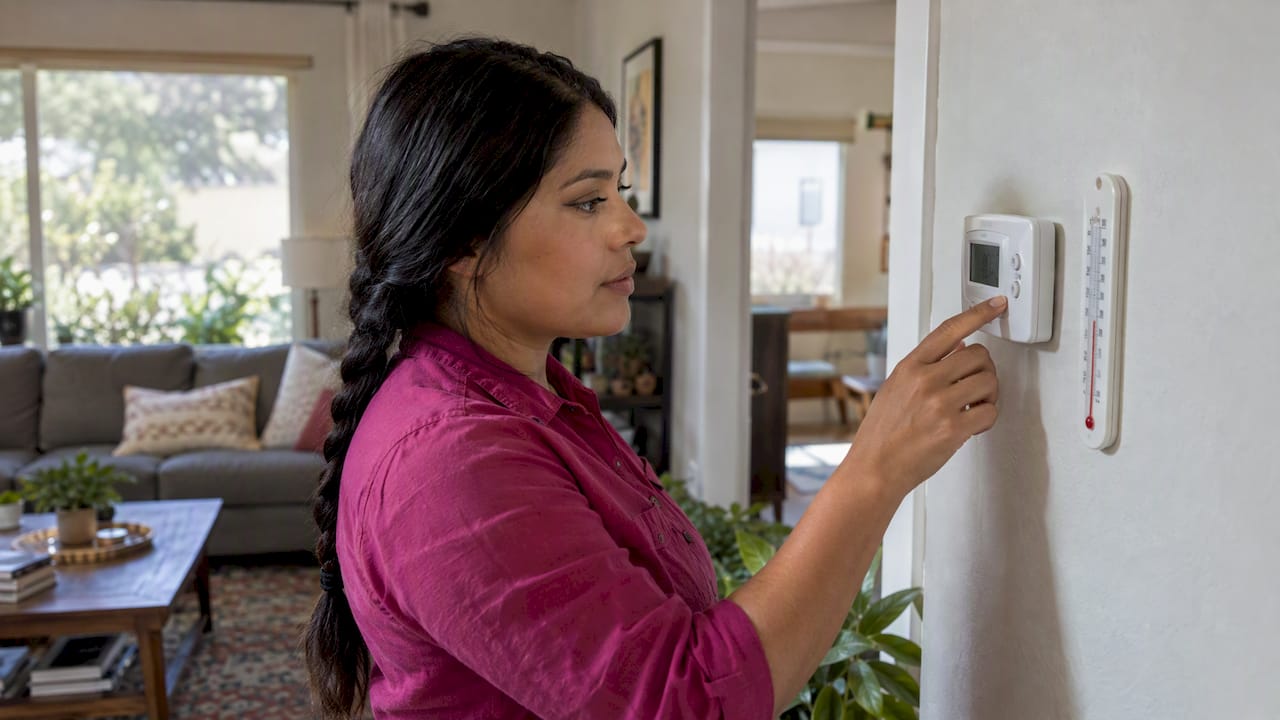
Thermostat calibration means making the temperature your thermostat displays match the actual air temperature in the room. You check it by comparing the display with a reliable thermometer. Then you correct it with the calibration screw on a manual model, or with an offset setting in the menu of a digital one. Then you test again. If the reading is still off, the cause is usually placement, drafts, a dirty sensor or a failing unit, not the setting. This guide walks through each step and shows where DIY ends and a technician should take over.
TL;DR
- Tape a thermometer to the wall next to the thermostat, wait 15 minutes, then compare the two readings.
- Manual thermostats have a calibration screw. Digital ones use an offset setting in the menu, and the name and path vary by brand.
- A thermostat that “reads wrong” is often misplaced: sunlight, drafts, heat sources or a wall hole can skew it.
- If you must recalibrate several times a month, the unit is likely failing. Frayed wires, burning smells or persistent error codes call for a pro.
- We are a family-owned HVAC company in New River, AZ. Our NATE-certified, non-commissioned technicians can test the thermostat and the system behind it.
Table of Contents
- What thermostat calibration actually does
- Is it really a calibration problem?
- Why a thermostat reads the wrong temperature
- Step 1: Test the thermostat’s accuracy
- Step 2: Calibrate a manual (analog) thermostat
- Step 3: Calibrate a digital or smart thermostat
- Step 4: Verify the result
- Safe troubleshooting before you call anyone
- When to call a technician
- Perspective: what we see on service calls
- Get the whole system checked
- Common mistakes to avoid
- FAQ
- Sources
What thermostat calibration actually does
A thermostat has a temperature sensor inside it. The sensor tells the control board when to start and stop heating or cooling. Calibration aligns that sensor’s reading with the real room temperature, so a display of 74°F means the air near the thermostat is 74°F.
Calibration does not change how well your AC or furnace works. It changes when the equipment is told to run. If the thermostat reads 4 degrees high, the AC runs longer than you asked and your home feels colder than the setting. If it reads low, the system shuts off early and the house feels warm.
It also does not fix a system that cannot keep up. If your AC is running but the house will not reach the setpoint, that is a different problem, and our guide on a thermostat not reaching the set temperature covers it.
Is it really a calibration problem?
Before you touch any setting, rule out the more common causes. Lowe’s, for example, treats calibration as a fix for a thermostat whose reading drifts from the actual room temperature. That is a narrower problem than “my house is uncomfortable.”
Signs that point to a calibration issue:
- The thermostat says 74°F, but a separate thermometer in the same spot says 77°F or 78°F.
- The system short-cycles or runs far longer than it should, and the room temperature never matches the display.
- The error is consistent. It is off by roughly the same amount every time you check.
Signs that point elsewhere:
- One room is hot and the rest are fine. That is usually airflow or duct design. See why one room is hotter than the rest in New River.
- The AC runs but the air is warm. Start with our AC not blowing cold air guide.
- The screen is blank. Try the steps in thermostat blank screen quick fixes.
Why a thermostat reads the wrong temperature
Many “calibration” complaints are really placement complaints. According to InterNACHI, a thermostat can give false readings when it sits near heat sources such as fireplaces, hot water pipes, bright lights, direct sunlight or heat-producing appliances. The same source lists drafty hallways, spots near windows or frequently opened exterior doors, and outside walls as problem locations.
In Arizona homes, the low-angle sun through a west-facing window is a classic example. A thermostat that catches an hour of afternoon sun will read several degrees high, and the AC will overcool the rest of the house to compensate. Leaky windows can also push outdoor air across the sensor. If you suspect that, a window replacement and energy efficiency guide explains how window condition affects indoor temperatures.
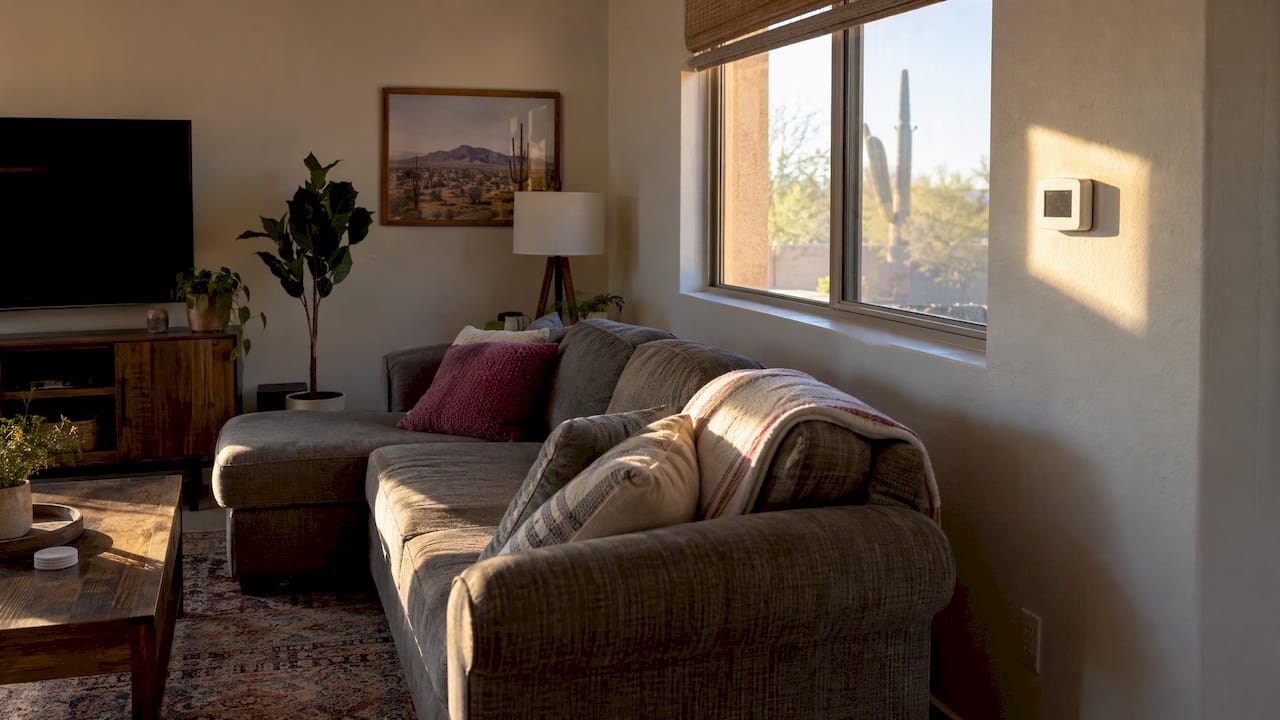
Another cause is easy to miss. InterNACHI notes that if a thermostat does not respond to changes in room temperature, air may be passing over the sensor through a hole in the wall behind it. The fix is to insulate that hole. Conditioned or attic air moving through the wall cavity will make the thermostat read the wall, not the room.
Trane makes a similar point: displayed temperatures are not always accurate because of placement, internal calibration and drafts or heat sources. So the reading can be wrong even when the device itself is working as designed.
Dust matters too. Dirty vents and grilles near the thermostat can alter local airflow, and a dusty air vents guide shows what causes the buildup. Gently cleaning dust from the thermostat cover and vents is a reasonable first step.
For a deeper look at location issues, our page on thermostat placement problems shows how to compare readings over 15 minutes.
Step 1: Test the thermostat’s accuracy
You need a reference thermometer you can trust. One technical document on sensor calibration recommends a recalibratable thermometer, such as one certified by the FDA or NIST, and advises against temperature guns, because they measure surface temperature, not air temperature.
Lowe’s suggests an infrared thermometer in its calibration steps. If you use one, be aware of the air-versus-surface difference above. A simple glass or digital air thermometer is the safer choice for a baseline.
Here is the test:
- Turn the thermostat to a setting that will not start the system, or let it sit idle for a while, so conditions are stable.
- Tape the thermometer to the wall right beside the thermostat, at the same height.
- Wait 15 minutes, as InterNACHI recommends, so the thermometer settles.
- Read both. Write down the difference.
- Repeat at a different time of day. If the difference changes a lot with the sun or with the system running, you have a placement or airflow problem, not a pure calibration error.
An error of a degree or so is normal for many residential thermostats and rarely worth chasing. A consistent error of 3 to 5 degrees is worth correcting.
Step 2: Calibrate a manual (analog) thermostat
Older mechanical thermostats, often with a dial and a bimetal coil or mercury switch, adjust with a calibration screw. Per Lowe’s, manual thermostats use a screw to match the displayed temperature to the room temperature.
Basic approach:
- Turn off the HVAC system at the thermostat. If the unit has line power, also switch off the breaker before removing the cover, to be safe.
- Remove the cover gently. Do not touch the coil or sensor with your fingers.
- Make sure the thermostat is level. Many mechanical models read wrong simply because they are tilted.
- Compare it with your reference thermometer after it has settled.
- Turn the calibration screw a small amount, wait, and compare again.
- Replace the cover, restore power and run a cycle.
There is no single method for every unit. One parts retailer notes that procedures differ among thermostat types and recommends an experienced technician. Check your model’s instructions if you have them.
A caution on mercury: older thermostats may contain a mercury switch. If yours looks like a glass vial with a silver bead, do not break or dispose of it in the trash. Ask your local household hazardous waste program how to handle it.
Step 3: Calibrate a digital or smart thermostat
Digital models rarely have a screw. Instead, Lowe’s explains that you adjust an indoor display offset in the menu and then check the reading again.
The menu path is brand-specific. For example, Daikin publishes a document describing the menu path to the temperature and humidity calibration settings on the Daikin One+. Look in your thermostat’s installer or advanced settings and search your manual for “offset,” “temperature calibration” or “sensor adjustment.”
General steps:
- Do the 15-minute test above and note the difference between thermostat and reference thermometer.
- Open the settings menu and find the temperature offset or calibration option.
- Enter an offset equal to the difference, in the correct direction. If the thermostat reads 3 degrees high, you want a negative 3 offset.
- Save, wait about 15 minutes and compare again.
- Fine-tune in one-degree steps if needed.
Some thermostats are factory set and need nothing. The Fastwarm Digi manual, for example, says the unit is factory set and does not need recalibration under normal operation. If you cannot find an offset option, your model may simply not offer one.
Daikin also states that its technical calibration materials are intended for trained, certified HVAC-R technicians, with a warning that misuse can cause property, system or equipment damage. If the setting sits in a locked installer menu, treat it as a technician task.
A quick reference by thermostat type
| Thermostat type | How you adjust it | Watch for |
|---|---|---|
| Manual (analog) | Calibration screw, after leveling | Tilt, dust on the coil, mercury switch |
| Basic digital | Offset or calibration in settings menu | Menu names vary by brand |
| Smart or connected | Offset in app or on-device menu | Installer-only menus, firmware, sensor placement |
| Factory-set models | No adjustment available | Replace or relocate if the reading stays wrong |
Step 4: Verify the result
Calibration is not finished when you save the setting. Leave your reference thermometer in place and compare readings over the next day, including midafternoon and overnight. The offset should hold in both conditions.
If the difference swings around, you are probably dealing with one of these:
- Sun, a draft or a heat source near the thermostat.
- Air leaking through the wall opening behind it.
- A loose backplate. InterNACHI notes that erratic operation or fluctuating temperature may come from poor pin connections when the backplate flexes against an uneven wall. The fix is to loosen the backplate screws and snap the thermostat back on.
- A failing sensor.
Lowe’s guidance is that a thermostat needing recalibration too often, such as several times in a month, is likely faulty and should be replaced. That is the practical point where fiddling with offsets stops making sense.
Safe troubleshooting before you call anyone
Carrier lists what homeowners can reasonably do themselves: replace batteries, check circuit breakers and power switches, inspect the air filter and evaluate thermostat placement. It also suggests cleaning the thermostat. After a power irregularity, turn the HVAC system off, wait 60 seconds and turn it back on.
A clogged filter can make a system run poorly in ways people blame on the thermostat. If you have not changed yours lately, our HVAC maintenance schedule gives a simple cadence.
When to call a technician
Carrier advises calling a professional for exposed or frayed wiring, persistent error codes, burning smells, or problems that remain after basic troubleshooting. We agree, and we would add a few Arizona-specific cases:
- The AC cycles on and off rapidly. Our article on why an air conditioner keeps turning on and off in New River explains the usual causes.
- You have a zoned system with several thermostats. Zone dampers, static pressure and airflow all affect what each thermostat sees. See zoned HVAC not working.
- Rooms upstairs stay warmer than the thermostat suggests. Read about uneven cooling upstairs before you change offsets, because the thermostat may be right for its own location and still misrepresent the rest of the house.
- Your thermostat is accurate but the house is still uncomfortable. Measuring airflow is the next step, as described in air balancing.
A technician can test the thermostat against calibrated instruments, check wiring and voltage, and confirm that the equipment responds correctly to the call for cooling or heating. A thermostat is only one part of a control loop, and the fault is often in the part you cannot see.
Perspective: what we see on service calls
We go into a lot of homes where the owner has already turned the offset up and down several times. In most of those cases the thermostat was not the culprit. It was in a hallway that gets afternoon sun, or on an outside wall, or over a wall opening that was never sealed. Calibrating a thermostat in the wrong spot just teaches it to be wrong in a new way.
Our advice is to measure first, change one thing at a time, and write down what you changed. If a reading will not hold, we would rather tell you to relocate or replace a thermostat than sell you something larger. Our technicians are NATE-certified and non-commissioned, so a recommendation is based on what your system needs, not on a sales incentive.
Calibration is also a good prompt to look at the rest of the system. Short cycling, uneven rooms and slow cooldowns often show up first as a “bad thermostat.”
— Brett
Get the whole system checked
If you have run the 15-minute test, adjusted the offset and the reading still will not hold, we can take it from here. Tru Comfort Heating & Cooling serves New River, AZ and surrounding areas, with thermostat checks as part of air conditioner repair and maintenance and furnace service. We also offer emergency HVAC service for no-cooling situations, and our Tru Comfort Advantage maintenance plans keep controls, filters and equipment checked on a regular schedule. Contact us for current pricing and availability.

If you are also deciding whether your cooling equipment is due for replacement, our guide on when to replace an AC covers the timing.
Common mistakes to avoid
- Calibrating against a surface reading. A temperature gun reads surfaces, not air.
- Testing right after touching the unit. Your hands and breath warm the sensor. Wait the full 15 minutes.
- Making big offset jumps. Small changes are easier to verify.
- Ignoring placement. If the sun hits the thermostat, no offset will hold across the day.
- Skipping the filter. Airflow problems mimic thermostat faults.
- Opening installer menus you do not understand. Settings there can change how the equipment runs.
FAQ
How do you calibrate a furnace thermostat?
The process depends on the thermostat, not the furnace. A manual thermostat uses a calibration screw, while a digital one uses an offset in its menu, as Lowe’s describes. Compare it with a reference thermometer first, adjust slightly, and check again after 15 minutes. If the settings are locked or you see wiring issues, have a technician handle it.
Why is my AC set at 74 but the thermostat reads 78?
First check whether the room is really 78°F. If it is, the AC may not be keeping up, so see our AC not blowing cold air guide. If the room is cooler than the display, the thermostat may be near sun, a draft, a heat source or a wall opening, all of which InterNACHI lists as causes of false readings.
How often should a thermostat be calibrated?
Most need no regular calibration. Check it if you notice a consistent mismatch between the display and the room. Per Lowe’s, needing to recalibrate several times in a month suggests the thermostat is faulty and should be replaced.
Can I calibrate a smart thermostat myself?
Often yes, if the offset is in the normal settings menu. The path differs by brand, and some manufacturers restrict their calibration material to trained technicians, as Daikin says in its calibration document. If you cannot find it, or the reading drifts, ask a technician.
When is a wrong reading a sign of a bigger problem?
Call a professional if you see exposed or frayed wiring, burning smells or persistent error codes, or if problems remain after basic troubleshooting, per Carrier’s guidance. Rapid cycling and rooms that never reach the setpoint also deserve a system check.
Sources
- How to Calibrate Thermostat: Simple Steps to Save Energy, Lowe’s
- Thermostats, InterNACHI
- Common Thermostat Issues and How to Troubleshoot, Carrier
- Busting Common Thermostat HVAC Myths, Trane
- Daikin One+ calibration document, Daikin Comfort
- Thermostat Sensor Calibration Using Software Offset
- Digital Thermostat, Fastwarm
- Thermostat Calibration, CashParts
- Window replacement and energy efficiency guide
- Dusty air vents guide