Thermostat Blank Screen: Quick Fixes for Homeowners
A blank thermostat screen almost always means the thermostat has lost power. Before assuming the unit is dead, Trane recommends checking batteries on battery-powered models, verifying the HVAC circuit breaker, and confirming the furnace power switch is on. Most homeowners restore the display in under ten minutes with those three checks alone.
Stop and call a professional if breakers keep tripping after you reset them, if you smell burning, or if you see exposed or scorched wiring. Some causes — a blown low-voltage fuse on the control board, a failed transformer, or a tripped condensate float switch — sit inside the HVAC unit and require a technician to diagnose safely.
Key Takeaways
A blank thermostat screen is almost always a power-delivery problem — work through batteries, breakers, and the furnace service switch before assuming the thermostat itself has failed.
| Point | Details |
|---|---|
| Start with batteries and breakers | Replace alkaline batteries first; reset the HVAC breaker once and check the furnace service switch. |
| Check the access panel and fuse | A loose furnace panel trips the door interlock; a blown 3–5 amp low-voltage fuse cuts 24V to the thermostat. |
| Inspect for water in the drain pan | A tripped float switch cuts power to the thermostat; vacuuming the condensate drain often restores operation. |
| Verify C-wire on smart thermostats | A missing or loose C-wire causes intermittent blank screens; add a C-wire or adapter before replacing the unit. |
| Call a pro for repeat fuse or breaker trips | Trucomfortaz NATE-certified technicians diagnose transformer, control-board, and wiring faults in a single visit. |
Table of Contents
- What should you check first when your thermostat screen is blank?
- How does your HVAC system power the thermostat?
- Why a missing C-wire can blank your thermostat display
- Could a clogged condensate drain be blanking your thermostat?
- Loose wiring, corrosion, and thermostat hardware failures
- Smart thermostat display quirks worth trying before you call anyone
- When should you stop troubleshooting and call an HVAC technician?
- What Tru Comfort has learned from blank-screen calls
- Tru Comfort can diagnose and fix a blank thermostat screen fast
- Sources
What should you check first when your thermostat screen is blank?
Start with the simplest possibilities. Most blank-screen calls turn out to be dead batteries or a tripped breaker, not a failed thermostat.
How to tell if your thermostat uses batteries
Look at the back of the faceplate. If it lifts off the wall plate without tools, check for a battery compartment. Most traditional and mid-range thermostats use two or three AA or AAA alkaline batteries. Smart thermostats (Ecobee, Google Nest, Honeywell T-series) are typically hardwired and powered through the C-wire, though some include a battery backup slot.
Use alkaline batteries only. Rechargeable NiMH batteries run at 1.2V instead of 1.5V per cell, which is often too low to power the display reliably.
Step-by-step: restore the display
- Remove the faceplate and replace batteries with fresh alkalines, even if the old ones test at partial charge.
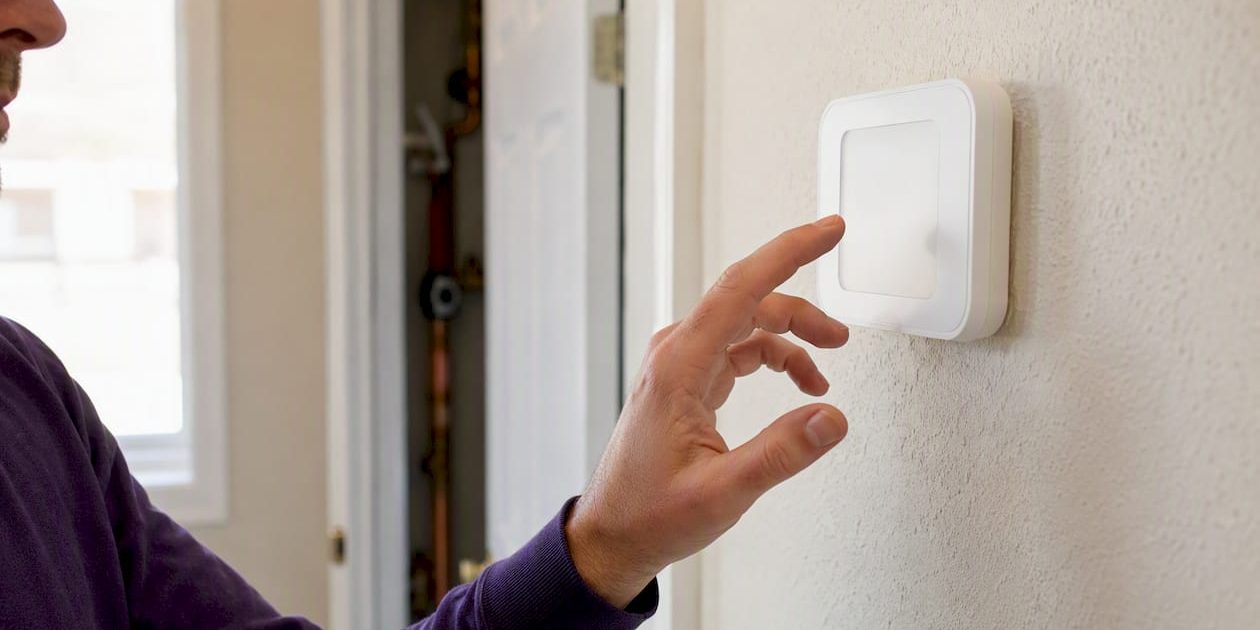
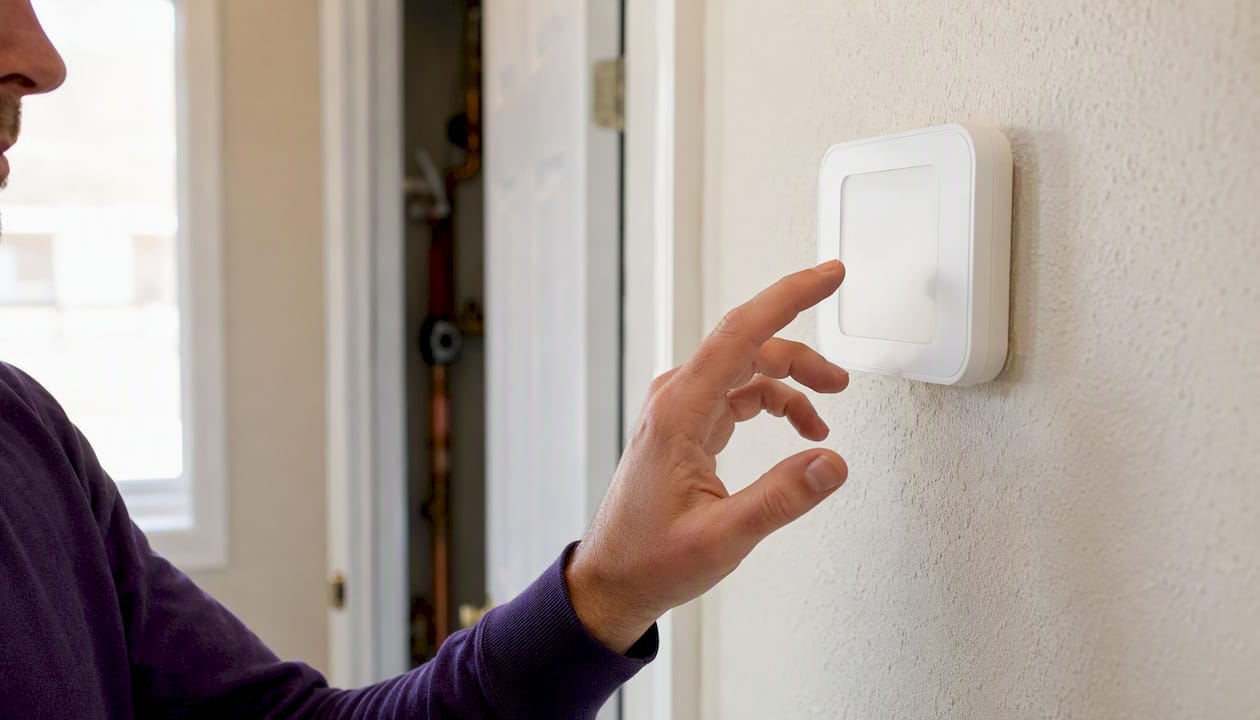
- For smart thermostats, press the screen or wave your hand near it. Many use a proximity sensor or touch-to-wake feature that lets the display sleep to save power.
- Check the HVAC circuit breaker in your main electrical panel. A tripped breaker sits in the middle position, not fully off or on. Flip it fully off, then back on.
- Find the furnace or air-handler power switch. It looks like a standard light switch, usually mounted on the wall near the unit or on the unit itself. Confirm it is in the ON position.
- Check that the furnace or air-handler access panel is fully seated. Many units have a door safety interlock that cuts power to the control board the moment the panel is even slightly ajar.
Pro Tip: Before touching any wiring beyond the faceplate, take a photo of the terminal block with your phone. Label each wire with a piece of masking tape if you plan to disconnect anything. That photo is the first thing a technician will ask for.
How does your HVAC system power the thermostat?
The thermostat itself does not run on house current. It runs on 24V AC, stepped down from 120V by a transformer inside the furnace or air handler. When that transformer, its fuse, or the breaker feeding it fails, the thermostat display goes blank.
Breakers, power switches, and the access-panel interlock
A tripped HVAC breaker cuts 120V to the air handler or furnace, which means the transformer never produces 24V, and the thermostat screen goes dark. The fix is straightforward: reset the breaker once. If it trips again immediately, stop. A breaker that keeps tripping signals a short or overload that needs professional diagnosis.
The furnace service switch and the access-panel interlock are two separate things homeowners often miss. The service switch is intentional — a tech flips it off during maintenance. The access-panel interlock is a small plunger or button that the panel presses in when fully closed. If someone recently changed a filter and did not seat the panel correctly, the interlock cuts power and the thermostat goes blank.
The low-voltage fuse on the control board
Inside the furnace or air handler, on the control board, sits a small blade or glass fuse — typically 3–5 amps — that protects the 24V circuit. When a wiring short or power surge blows it, the thermostat loses power completely. You can usually see it without removing any wiring: it is a small colored fuse in a clip holder on the board.
Replacing a blown fuse is within reach for a careful homeowner who has already turned off the HVAC breaker. If the new fuse blows immediately after you restore power, stop. That means a short exists somewhere in the low-voltage circuit, and replacing fuses repeatedly will not fix it. A technician needs to trace the short.
| Symptom | Likely cause | Homeowner-safe? |
|---|---|---|
| Blank screen, batteries fresh, breaker fine | Blown low-voltage fuse | Check fuse only; replace if visibly blown |
| Breaker trips immediately on reset | Short in 120V circuit | Call a pro |
| Screen blank after filter change | Access panel not fully seated | Yes — reseat the panel |
| Blank screen + water in drain pan | Float switch tripped | Check drain; call pro if recurring |
| Blank screen + burning smell | Transformer or wiring failure | Call a pro immediately |
Why a missing C-wire can blank your thermostat display
The C-wire (common wire) completes the 24V circuit and gives a smart thermostat a continuous, stable power supply. Without it, some smart thermostats try to “steal” power through the heating or cooling signal wires. That works inconsistently, and under certain conditions — Wi-Fi radio active, display on, app polling — the thermostat simply cannot draw enough current and the screen goes blank or the unit reboots.
Terminal labels and what they do
The most common low-voltage terminals are:
- R / RC / RH — the 24V power wire from the transformer. RC feeds cooling equipment; RH feeds heating. Many systems jumper them together.
- C — the common wire that completes the circuit back to the transformer. Required for continuous power on most smart thermostats.
- W — heating call signal.
- Y — cooling call signal.
- G — fan call signal.
Adding a C-wire safely
If your wiring bundle has an unused wire (often blue or black), it may already run back to the air handler and can be connected to the C terminal at both ends. Before doing this, turn off the HVAC breaker. Never work on thermostat terminals with the system live.
If no spare wire exists, options include a C-wire adapter (a small module that installs at the air handler) or a Power Extender Kit (PEK), which some thermostat manufacturers include in the box. Both are reasonable DIY options for someone comfortable with low-voltage wiring. If you are not, this is a quick job for a technician — typically less than an hour of labor.
Do not splice into house wiring (120V) or attempt to run a new wire through finished walls without understanding the routing. Wiring work that involves the air-handler control board or pulling new wire through walls is best left to a pro, especially if your home is undergoing any renovation. For broader context on HVAC wiring during home projects, this renovation guide covers what to plan for.
Could a clogged condensate drain be blanking your thermostat?
Yes, and it catches homeowners off guard because the problem looks like a power issue, not a plumbing one. Air conditioners and heat pumps produce condensate (water) as a byproduct of cooling. That water drains through a PVC line to a floor drain or outside. When the line clogs, water backs up into the drain pan, and a float switch trips.
Float switches are commonly wired into the R (power) circuit. When the float rises with the water level, it opens that circuit and cuts 24V to the thermostat. The outdoor compressor often shuts down at the same time. From the homeowner’s perspective: the thermostat goes blank and the AC stops working, with no obvious reason why.
Trane confirms that clearing a clogged condensate drain often restores normal operation once the float drops back down.
What you can safely check
Look at the air handler (usually in a closet, attic, or utility room). If you see standing water in the drain pan beneath the unit, that is your answer. A wet-dry vacuum attached to the outdoor end of the condensate drain line can clear a soft clog in a few minutes. You can also pour a cup of distilled white vinegar into the drain access port (a capped T-fitting on the drain line) to break up algae buildup.
If the pan is dry but the float switch wire is disconnected or corroded, the switch itself may have failed in the open position. That is a technician fix.
Recurring float-switch trips are a maintenance issue, not a one-time fix. Scheduling seasonal AC maintenance prevents the algae and debris buildup that causes most drain clogs. For a deeper look at what a clogged drain looks like and how it progresses, the Trucomfortaz guide on condensate drain clogs covers the warning signs in detail.
Loose wiring, corrosion, and thermostat hardware failures
Sometimes the thermostat itself is the problem. Age, corrosion, a prior power surge, or a firmware glitch can all produce a blank display even when 24V is present at the wall plate.
Before you inspect wiring, do this first
- Turn off the HVAC breaker. Confirm power is off before touching any terminals.
- Take a clear, close-up photo of the terminal block with every wire in place.
- Note the thermostat model number and approximate age (usually on a label inside the faceplate or on the back).
What to look for
- Loose terminal screws. A wire that has worked loose from its terminal breaks the circuit. Each screw should hold the wire firmly with no play.
- Corrosion. Green or white oxidation on wire ends or terminal screws increases resistance and can prevent reliable power delivery. Light corrosion can be cleaned with fine sandpaper; heavy corrosion on multiple terminals suggests the thermostat should be replaced.
- Damaged insulation. Nicked or melted wire insulation near a terminal can cause intermittent shorts that blow fuses or trip breakers.
If wiring checks out and 24V is confirmed at the R and C terminals but the display stays blank, the thermostat itself has likely failed. Thermostats over ten years old with a history of erratic behavior — wrong temperature readings, unresponsive buttons, random restarts — are strong replacement candidates. The Trucomfortaz guide on signs a thermostat is failing lists seven specific warning signs worth reviewing before you buy a replacement.
For smart thermostats, try a controlled power cycle first: turn the HVAC breaker off, wait 30–60 seconds, then restore power. Trane recommends this full power cycle as a step before concluding the thermostat is defective, since it reboots the control circuits and can clear firmware hangs.
Smart thermostat display quirks worth trying before you call anyone
Smart thermostats have a few behaviors that look like failures but are not.
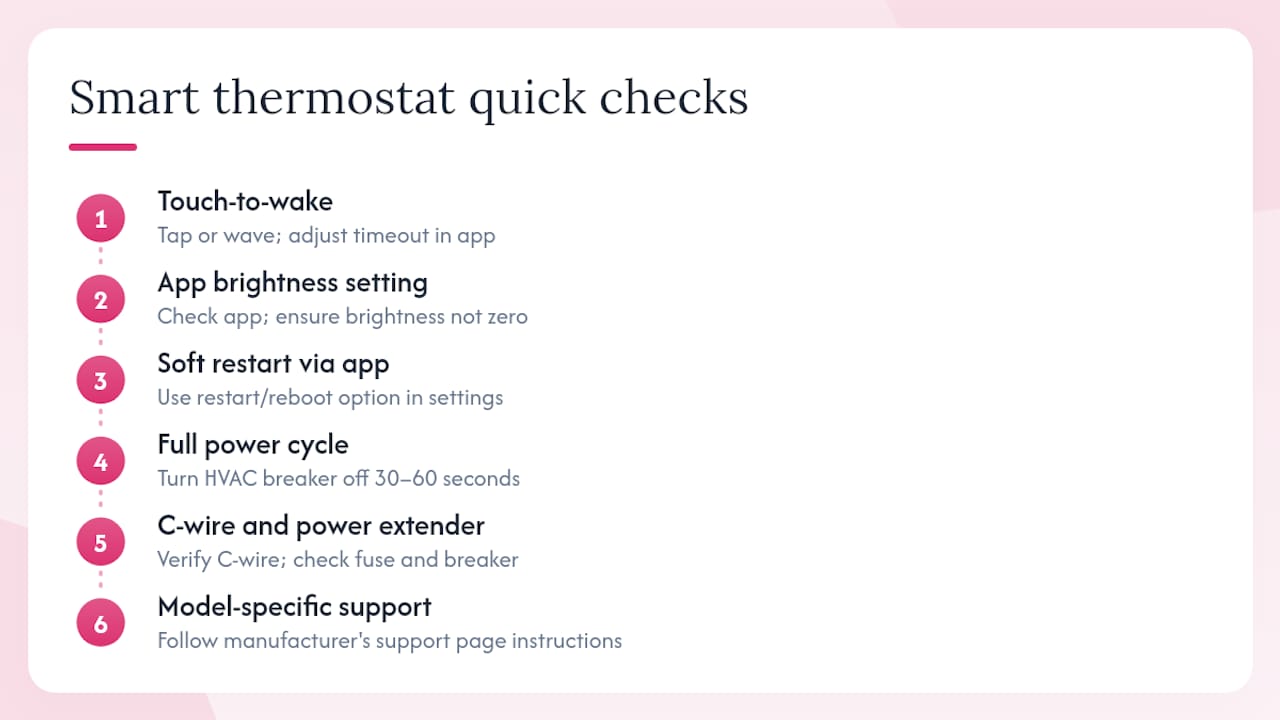
Touch-to-wake. Most smart thermostats dim or blank the display after a few minutes of inactivity. Touch the screen or wave your hand in front of it. If the display comes on, the thermostat is fine — adjust the display timeout in the app settings.
App brightness setting. Some models let you set display brightness through the companion app. If brightness was accidentally set to zero, the screen appears blank even though the unit is fully powered. Check the display settings in the app before anything else.
Soft restart via app. Many smart thermostat apps include a restart or reboot option in the device settings menu. This is faster than cycling the breaker and resolves most firmware hangs.
Full power cycle. If the app restart does not work, turn the HVAC breaker off for 30–60 seconds. This reboots both the thermostat and the control board simultaneously, which clears issues a thermostat-only restart cannot.
C-wire and Power Extender Kit behavior. If your smart thermostat was recently installed without a C-wire, intermittent blank screens are a known symptom. The Amazon Smart Thermostat support page specifically lists C-wire verification and fuse/breaker checks as the first steps for a blank display — and that guidance applies broadly across smart thermostat brands.
For model-specific reset procedures, go directly to the manufacturer’s support page. Steps vary enough between models that generic instructions can cause more confusion than they solve.
When should you stop troubleshooting and call an HVAC technician?
Some situations are not worth pushing through on your own. Call a professional when:
- The breaker trips again after a single reset.
- A replacement fuse blows immediately.
- You smell burning plastic or see scorched wiring near the air handler or thermostat.
- You confirm 24V is absent at the control board but cannot identify why.
- The thermostat stays blank after you have worked through every homeowner-safe check above.
- You are simply not comfortable working near electrical components.
What a technician will check
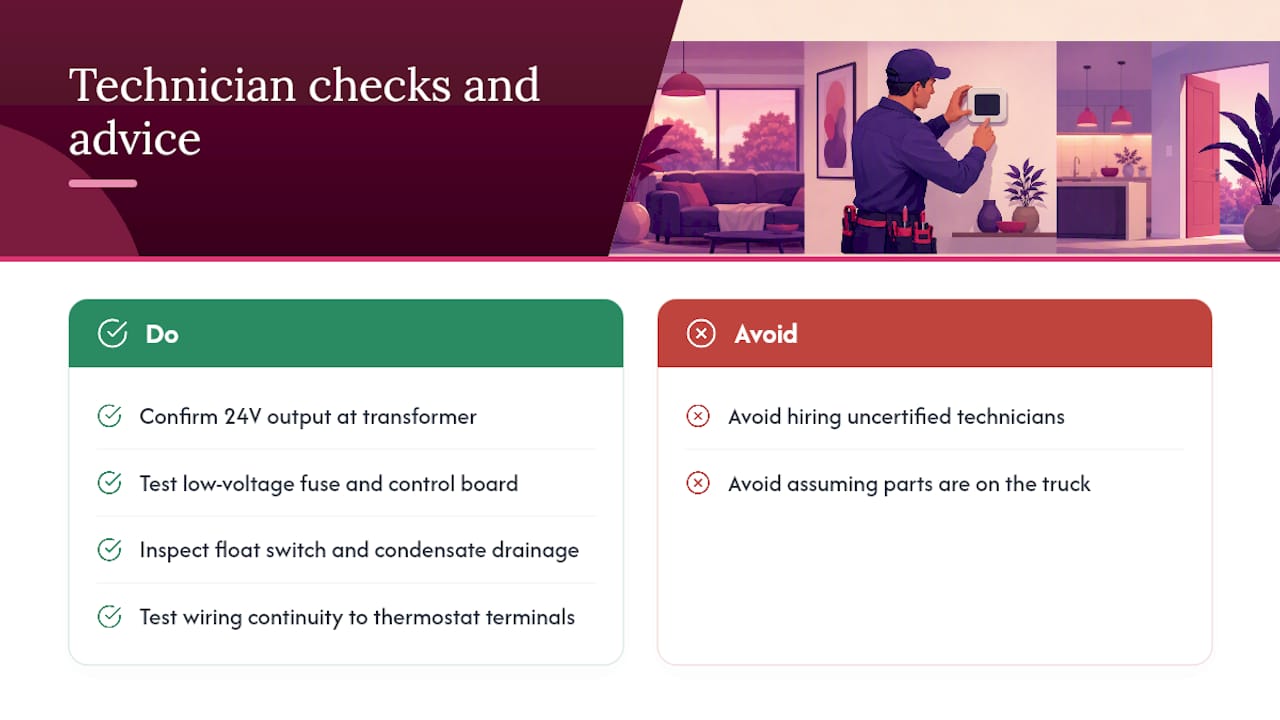
A qualified HVAC tech will confirm 24V output at the transformer, test the low-voltage fuse and control board for shorts, inspect the transformer itself for failure, verify float-switch operation and condensate drainage, and test wiring continuity from the air handler to the thermostat terminals. For furnace-side issues, the Trucomfortaz overview of common furnace repairs explains what control-board and transformer diagnostics typically involve.
A basic diagnostic visit for a blank thermostat usually takes 45–90 minutes. If the fix is a fuse or a loose wire, the tech may resolve it in the same visit. A transformer or control-board replacement adds parts cost and may require a return trip if parts are not on the truck. For a realistic sense of what repair labor runs, the Trucomfortaz furnace repair cost page gives current ranges for the New River and Phoenix area.
Look for NATE-certified technicians. NATE (North American Technician Excellence) certification is the most widely recognized credential in the U.S. HVAC industry. NATE-certified technicians have passed independent, proctored exams on installation and service — not just an in-house training course. It is a meaningful signal that the person diagnosing your system knows what they are doing.
What Tru Comfort has learned from blank-screen calls
Most homeowners who call us about a blank thermostat have already tried the obvious things and hit a wall. The pattern we see most often: the display went dark, someone replaced the thermostat, and the new one went blank too — because the root cause was a blown fuse or a tripped float switch that never got addressed. Replacing the thermostat without diagnosing power delivery is one of the most common and avoidable mistakes in HVAC troubleshooting.
The homeowner-safe checks in this guide will resolve the majority of blank-screen situations. When they do not, the remaining causes — transformer failure, control-board damage, a short in the low-voltage wiring — require test equipment and hands-on access to the air handler. That is where our NATE-certified technicians come in. We serve New River, AZ and the surrounding area, and we do not work on commission, so the diagnosis you get is the one your system actually needs.
Tru Comfort can diagnose and fix a blank thermostat screen fast
When the homeowner checks are done and the display is still dark, Trucomfortaz handles every root cause a blank thermostat screen can point to: blown low-voltage fuses, transformer and control-board failures, condensate drain cleaning, C-wire installation, wiring repair, and full thermostat replacement and programming.

On a scheduled service call, our NATE-certified technicians arrive with the diagnostic tools and common parts needed to resolve most blank-screen issues in a single visit. Emergency service is available for situations where you have no heat or cooling. Every visit includes an honest assessment with no upsell pressure — our technicians are non-commissioned.
After the repair, ask about the Tru Comfort Advantage maintenance plan. Annual tune-ups catch condensate buildup, loose wiring, and aging components before they cause a no-power situation. To book a diagnostic visit or ask about furnace repair services in New River and the Phoenix area, contact Trucomfortaz directly at Trucomfortaz.
Sources
These resources provide model-specific reset steps, official energy guidance, and manufacturer troubleshooting detail. Check your thermostat’s support page before purchasing a replacement unit.
- Thermostat Not Working: Causes and Solutions – Trane®
- Should the float switch break R or Y? – HVAC School
- The Amazon Smart Thermostat Display Is Blank – Amazon Customer Service